AspireVPN review: No-registration Android VPN with live speed tools
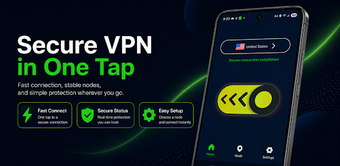
AspireVPN from Color Dye protects Android users' online privacy and secures network traffic on mobile connections. It uses the sing-box core to create an encrypted tunnel and routes traffic through secure servers with One-Tap Connect and Smart Location that selects servers automatically. On-device monitors show live speed and latency, and dedicated video nodes aim to improve streaming quality with an IP check tool. It suits Android users seeking quick, no-account privacy on public Wi-Fi or while streaming.
What type of network protection does the app provide?
The app acts as a VPN proxy that encrypts device traffic and directs it through remote exit servers, producing an alternate public IP for outbound connections. Because the developer built the client around an encrypted tunneling engine, the tool frames its primary role as privacy protection and access to region-restricted services. The app also omits account creation, so initial setup requires no registration before establishing a protected connection.
How can users monitor and preserve connection quality?
Connection quality is surfaced to the user through live throughput and ping indicators, so you can observe upload/download rates and latency while connected. The app exposes node-specific performance data and a session timer that helps manage continuous usage. These monitoring capabilities let users identify congested exit points and choose times or endpoints that reduce buffering or slowdowns during media playback.
Is the app designed with privacy and safety in mind?
The developer states a strict no-activity-logging policy and implements an encrypted tunnel for all routed traffic, which together aim to protect browsing content and DNS queries from local interception. An integrated IP Address Check displays the current exit IP and coordinates so users can verify masking. The lack of account requirements also reduces personal-data collection at first-run.
Do I need technical knowledge to operate the tool?
The app includes features intended for quick operation alongside manual controls for more experienced users. For basic use, a single tap connects you to a protected endpoint. For control, session timers, extend-session options, and visible latency figures let technically minded users optimize duration and endpoint choice. Interface options include
- session timer management
- manual node selection
- dark mode for low-light use
A practical choice for quick privacy, with a trade-off on maturity
AspireVPN is a practical option for Android users who need immediate privacy and accessible connection controls; it emphasizes anonymity by requiring no registration. The app is a relatively new release with a smaller user base than long-standing competitors, which may mean fewer community troubleshooting resources and less public documentation. Recommended for users prioritizing simple, account-free protection, while cautious users should weigh the smaller ecosystem.